

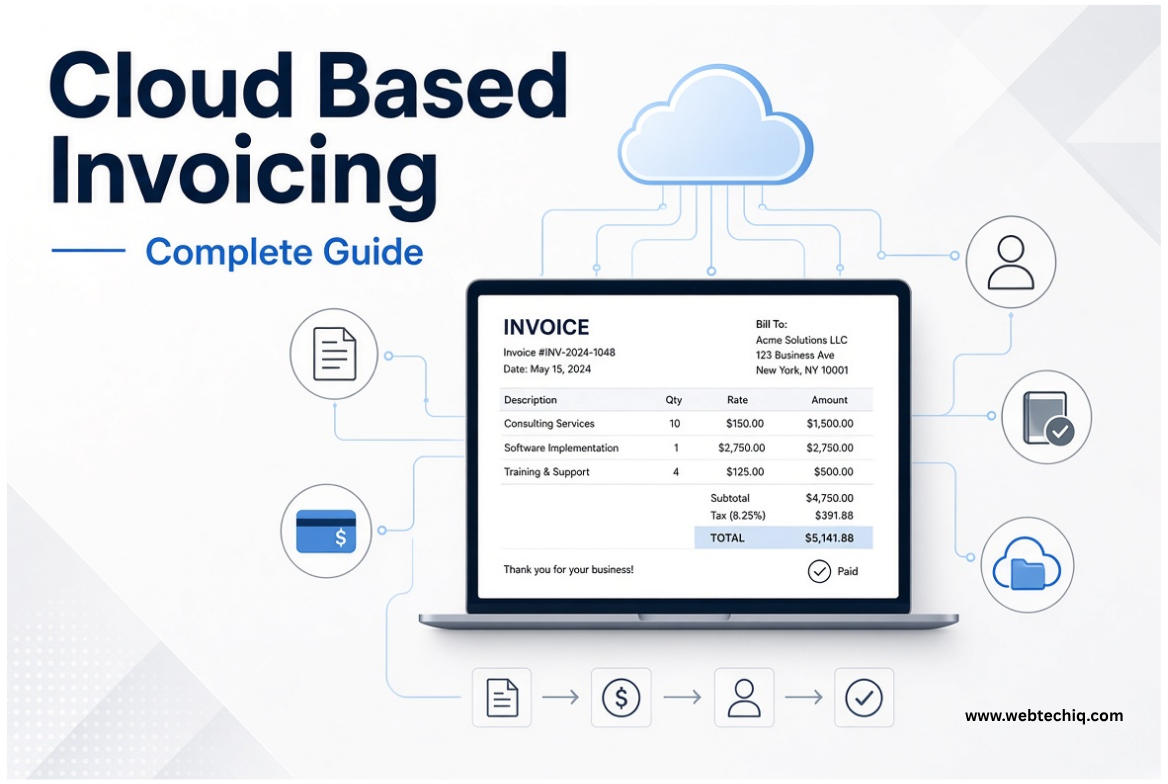
Most businesses still treat invoices like one-off documents. You create one, send it, and hope the money shows up. Cloud based invoicing changes that. The whole process — creating the invoice, tracking whether the client opened it, recording payment, and keeping everything in one place — now runs online instead of on a single computer or in a filing cabinet.
This guide walks through what it actually is, how the day-to-day work happens, which features matter, and how to decide if it fits your setup. You’ll also see where it differs from older methods, what happens to your data, and the situations where it may not be the right move.
What Is Cloud Based Invoicing?#
Cloud based invoicing means you create, send, track, and manage invoices through Online Invoicing software that runs on remote servers. You open it in a browser or on a phone app. Your client list, past invoices, payment status, and settings all live in one central place that authorized people can reach at the same time.
This is not the same as filling out a free online form or downloading a template. A real system keeps ongoing records. Anyone with the right login can see the current status without emailing files back and forth or wondering which version is the latest.
As long as you have internet and a login, the software and your data stay available. The provider handles updates, so you don’t install new versions yourself.
How Cloud Based Invoicing Works#
You log in and work with an application that sits on the provider’s servers. Creating and sending an invoice usually follows these steps:
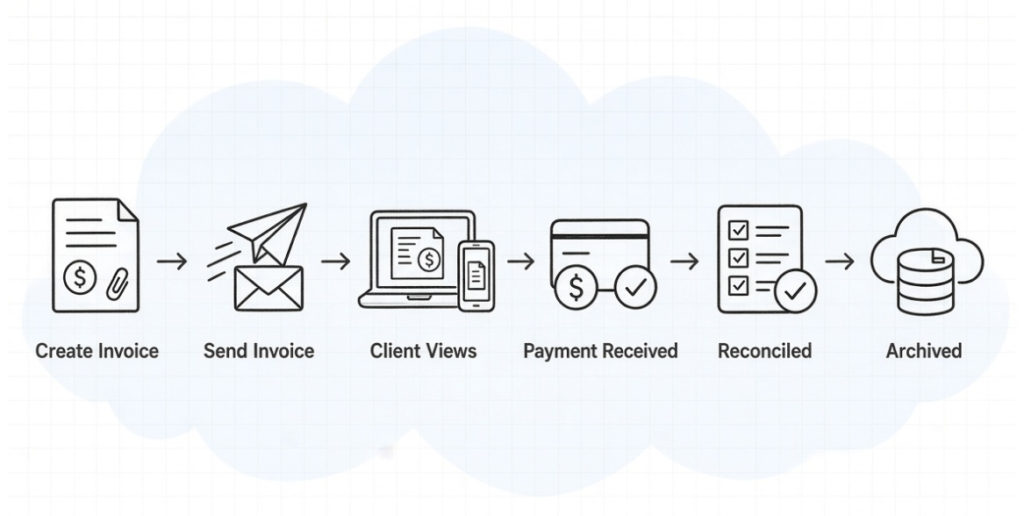
- You pick or enter the client and add the line items.
- The system builds the invoice and saves it in the cloud database.
- You hit send. The platform emails a link or PDF to the client.
- When the client opens it, the system can note that it was viewed.
- Payment comes in through a linked payment gateway or you mark it manually. The status changes to paid.
- The invoice moves into your records for reconciliation and long-term storage.
The full path looks like this: Draft → Sent → Viewed → Paid → Reconciled → Archived. Everything stays in one system. Multiple people see the same up-to-date information.
True cloud systems also let people work at the same time. The owner can check overall numbers, the accountant can reconcile payments, and a sales person can create new invoices without overwriting each other’s work. Permissions decide what each person can see or change.
A simple online form just makes a document and stops. A proper system keeps the history, payment status, reminders, and reports in one place.
Key Features of Cloud Invoicing Software#
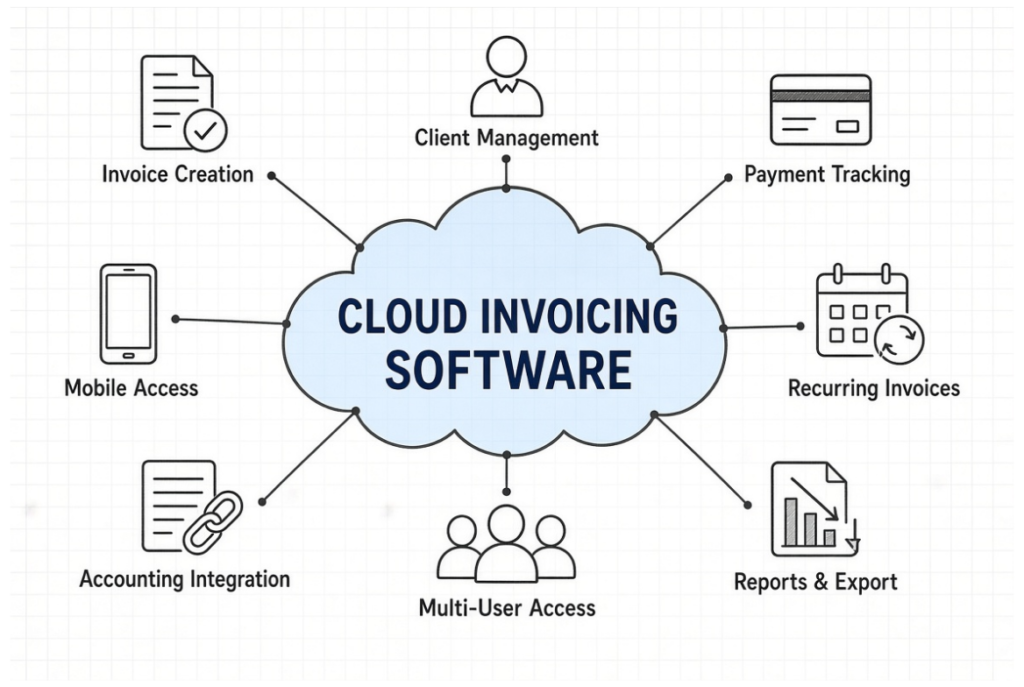
The most important cloud invoicing software features usually include:
- Customizable invoice templates and line items
- Client and contact management
- Automatic invoice numbering
- Payment status tracking
- Recurring invoice scheduling
- Multi-user access with different permission levels
- Basic reporting and export options
- Connections to accounting software, payment gateways, and CRMs
- Access from browser or phone
Many also offer client portals, automatic reminders, and logs that show who changed what and when. These features cut down on manual chasing and keep the records consistent across the team.
Benefits of Cloud Based Invoicing#
The practical gains show up in daily work:
- You can create or check an invoice from the office, home, or a job site.
- Most plans charge a monthly fee instead of a big one-time license.
- Updates and security fixes arrive automatically.
- The owner, accountant, and sales person can all work in the same system with clear roles.
- Reputable providers keep backup copies of your data.
- Adding another user or handling more invoices is usually simple.
- Payment links and automatic reminders often get money in faster.
These advantages matter most when your team needs to work from different places or when you want less IT upkeep.
Cloud Billing vs Cloud Invoicing — What’s the Difference?#
People mix the two terms, but they are not the same.
| Aspect | Cloud Invoicing | Cloud Billing |
|---|---|---|
| Main focus | Creating and sending invoices | Managing the full revenue process |
| Typical output | Individual invoices | Invoices + subscriptions + usage charges |
| Common use case | Project or product-based work | Ongoing services or subscriptions |
| Complexity | Generally simpler | Can include metering, proration, dunning |
Cloud invoicing focuses on the document and its payment status. Cloud billing usually covers wider revenue tasks such as tracking usage, handling renewals, and more complex pricing. Many platforms now do both. Knowing the difference helps you avoid buying extra features you do not need.
For a closer look at broader tools, see Online Billing Software.
Cloud Based Subscription and Recurring Billing#
If you charge the same client on a set schedule, the system can create the next invoice automatically — every month, quarter, or year.
A simple example: you set a monthly retainer for a client. On the first of each month the system generates the invoice, emails it, and can attempt to collect payment if a card is on file. If the plan changes mid-month, it can adjust the amount for the remaining days. If payment fails, it can send follow-up reminders.
This works well for retainers, maintenance contracts, memberships, and similar models. Once the rules are set, you do not recreate the invoice by hand each period.
Deeper details on recurring systems belong in a separate discussion. See SaaS Invoicing and Recurring Billing.
Some businesses need highly custom subscription rules that off-the-shelf tools cannot handle cleanly. In those cases, Cloud Invoicing SaaS Development can give a better long-term fit.
Free and Open-Source Cloud Invoice Options#
Free plans exist, but they usually limit how many invoices or clients you can have, keep the provider’s branding, restrict user seats, or cut back on reports and exports. Support is often limited.
Open-source projects let you host everything yourself and keep full control. The trade-off is that you handle the servers, security updates, backups, and uptime. That route only makes sense for teams that already have the technical capacity.
For most small and mid-sized businesses, a paid plan with clear limits and reliable support is simpler than running the infrastructure yourself.
If you only need occasional one-off documents, free online invoice generators can still be enough.
Cloud Invoice Management Capabilities#
Creating the invoice is only the start. Managing it usually includes:
- Tracking status (draft, sent, viewed, overdue, paid)
- Automatic payment reminders
- A client portal where customers can view and download their own invoices
- Different permission levels for owner, accountant, sales staff, and read-only client access
- Search and filters across years of records
- Export to accounting systems
- A log of who changed what and when
These pieces reduce lost invoices, duplicate work, and confusion about whether something has been paid.
Security, Data Ownership and Multi-Cloud Considerations#
Moving financial data online raises fair questions. Ask any provider:
- Is the data encrypted while it travels and while it sits on their servers?
- Where are the servers located?
- Who inside their company can access the data?
- Can you see audit logs?
- How are backups handled, and can you download a complete copy of your data?
small business cybersecurity guidance
You normally own your invoice and client records under the subscription agreement. The practical test is whether you can export everything cleanly. Try the export process before you commit long-term.
Vendor lock-in is real. If leaving is difficult, switching later costs time and money. Prefer tools that support standard formats such as CSV, PDF packages, or an API.
Multi-cloud setups are uncommon for pure invoicing tools. Most businesses do fine with one solid provider.
Related topics such as electronic invoicing standards are covered in Electronic Invoicing and Compliance. Local tax rules, including GST Invoice Requirements, also need their own focused discussion.
How to Choose the Right Cloud Invoicing Solution#
Focus on fit rather than the longest feature list:
- Does it handle your normal invoice volume and complexity without friction?
- Can several team members work with the right permissions?
- Does it connect to your accounting software and payment methods? For example, when a client pays online, the invoice should mark itself paid and the payment should appear in your accounting system without manual re-entry.
- How easy is a full data export if you ever leave?
- What is the real monthly cost once you add the users and features you need?
- Is support responsive in your time zone?
- Does the provider have a steady track record on security and uptime?
Standard needs are usually met by established cloud tools. Companies with unusual approval chains, complex subscription rules, or tightly customized workflows sometimes find that ready-made software forces too many compromises. In those cases, a tailored platform built through Cloud Invoicing SaaS Development can give better long-term control.
When Cloud Based Invoicing May Not Be the Best Fit#
Cloud systems are not right for every business. Look at alternatives when:
- Regulations require all financial data to stay on your own servers.
- Internet access is unreliable in the places you work.
- Your industry has special requirements that current platforms do not meet.
- You already run a tightly integrated on-premise system and the cost of switching is too high.
In those situations a desktop program or a carefully planned hybrid approach can still make more sense.
The Future of Cloud Based Invoicing#
Expect tighter links with accounting and payment systems, smarter reminders, and better mobile use. The core value will stay the same: up-to-date invoice records that the right people can reach from anywhere.
Businesses that treat invoicing as an ongoing process rather than a one-time document will get the most from the tools.
Frequently Asked Questions#
What is cloud based invoicing?#
It is creating, sending, and managing invoices through software that runs on remote servers and is opened in a browser or app, instead of programs installed on a local computer.
How does cloud based invoicing work?#
You log in, create invoices, send them to clients, and track payment status. All data sits in one place so authorized team members always see the current information.
What are the main benefits of cloud based invoicing?#
You can work from different locations, collaborate without version conflicts, get automatic updates, avoid large upfront license fees, and rely on the provider’s backups.
What is the difference between cloud billing and cloud invoicing?#
Invoicing focuses on creating and tracking individual invoices. Billing usually covers wider revenue tasks such as subscriptions, usage charges, and automatic renewals.
Are there free cloud invoice software options?#
Yes, but free plans usually limit invoices, users, or features. Open-source options exist if you are ready to host and maintain the system yourself.
Is cloud based invoicing secure?#
Reputable providers encrypt data, control access, and keep backups. You should still ask clear questions about server location, export rights, and audit logs.
Can small businesses use cloud based invoicing?#
Yes. Many tools are built for small teams and grow with the business. For a focused discussion see Cloud Invoicing for Small Businesses.
What is cloud based subscription billing?#
It is the ability to schedule invoices that renew automatically on a set cycle. It is useful for retainers, memberships, and recurring services.
How do I choose the right cloud invoicing software?#
Match the features to your real workflow, check the integrations you need, test data export, compare the total cost, and look at support quality.
When should a business avoid cloud based invoicing?#
When data must stay on local servers, internet access is unreliable, or existing systems make the switch too costly.
Does cloud based invoicing support multi-user access?#
Most platforms let several people work with different permission levels such as owner, accountant, sales, and client portal access.
What happens to my data if I stop using a cloud invoicing service?#
You should be able to export your invoices and client records. The ease and completeness of that export varies by provider, so test it before you commit long-term.
Conclusion#
Cloud based invoicing is more than a way to send invoices online. It gives your business one place to create invoices, track payments, manage client records, automate recurring billing, and keep your team working from the same information.
For small businesses, agencies, freelancers, and growing teams, the biggest advantage is reducing manual work without having to maintain invoicing software on your own computers. But the right solution still depends on your workflow, budget, integrations, security requirements, and how much control you need over your data.
If standard cloud invoicing software does not support your approval process, subscription rules, integrations, or other business requirements, a custom solution may be a better long-term option. The important thing is to choose a system that fits how your business actually handles invoices today and can continue to support it as you grow.

Thanks for sharing. Very helpful article.